AI in Software Testing: What Every Tester Needs to Know in 2026
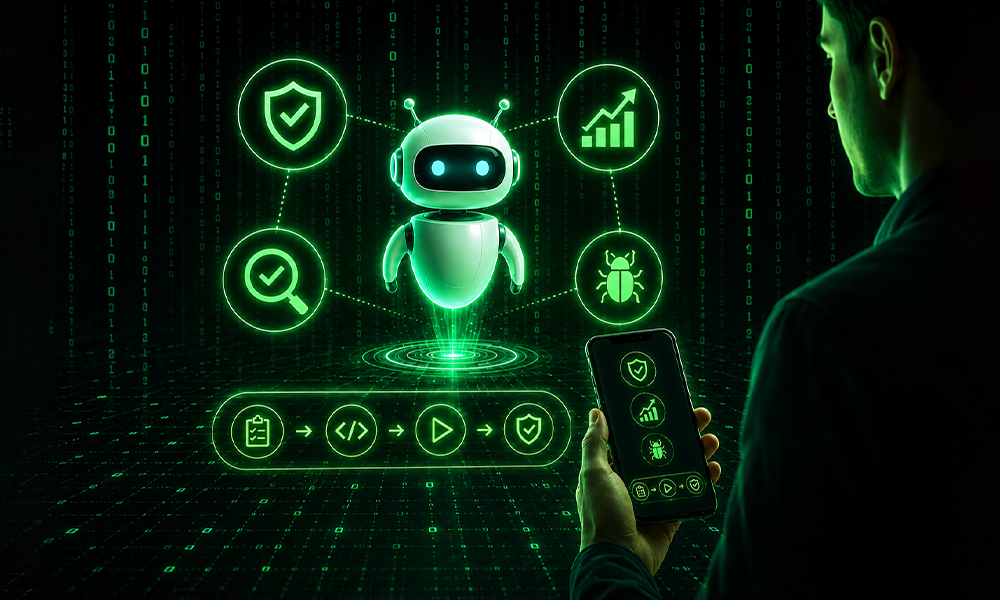
If you have been a software tester for any length of time, you already know the challenge: repetitive testing tasks, manual reporting, and constantly maintaining automation scripts.
In 2026, software testing is rapidly shifting toward AI-assisted workflows that improve speed, reduce manual effort, and change how QA teams operate.
This article breaks down the tools, workflows, and real-world QA practices teams are actually using in 2026.
Why AI is Reshaping Software Testing in 2026 (Real Industry Shift)
Across real QA teams, a clear shift is happening:
- Manual reporting is being replaced by AI-assisted documentation
- Entire QA workflows are now partially handled by autonomous systems – including test generation, failure analysis, and reporting automation.
- Test execution is increasingly automated and cloud-driven
- Debugging and script maintenance are being reduced through AI assistance
The Real Problem in QA Teams Today
These are repetitive QA tasks that reduce productivity and consume significant sprint time:
- Monthly SLA Reports: 3–4 hours spent manually collecting uptime, error stats, and performance metrics and formatting them into Word documents.
- Test Documentation: Writing test plans, bug summaries, and handoff notes after every release, often repetitive and inconsistent.
- Website Health Checks: Manually checking speed, broken links, console errors, and UI regressions in the browser.
- Automation Script Maintenance: Playwright scripts frequently break and require continuous debugging and fixes.
The result is clear: QA engineers spend more time maintaining work than improving quality.
Most QA teams are not limited by capability – they are limited by repetitive operational workload that consumes sprint capacity.
First Real Win: Cursor for AI-Powered QA Documentation
The first measurable improvement most QA teams see is in documentation speed and consistency.
Cursor is an AI-powered code and document editor that improves how QA teams create and manage documentation.
| Before Cursor | After Cursor |
|---|---|
| 2 to 3 hours writing docs per sprint | 20–30 minutes with a clean, consistent format |
| Different formats every time | Live preview helps catch mistakes before sharing |
| Easy to miss details under pressure | Everyone's docs now look the same |
| Inconsistent quality across team members | AI-assisted first draft, human-reviewed final output |
Instead of writing everything manually, testers describe the situation in plain English and refine the AI-generated output.
This improves consistency across teams and removes manual formatting effort from the documentation process.
If your team spends more than 1 hour per sprint on documentation, try Cursor – it is free to get started, and most teams notice a difference within the first week.
7 Best AI Tools for Software Testing and QA Automation
These are tools that solve real, specific problems QA testers face. Each one has been tested in real QA workflows – not just demos.
1. Cursor – AI Document & Code Editor
Best tool for writing and updating test docs, bug reports, release notes, and test plans. Just describe what you need in plain English – it generates the structure for you. Works with markdown, HTML, and code. Try it this week on your next sprint documentation.
2. ChatGPT / Claude – AI QA Assistant
Use it daily for writing test cases from acceptance criteria, cleaning up bug descriptions, summarising test results, drafting SLA reports, or generating checklists from requirements. It acts like a junior QA assistant that is available 24/7.
3. Playwright + AI (Smarter Script Writing)
If you already use Playwright but spend time fixing broken scripts – this is the upgrade. Describe your test case in plain English to ChatGPT or Claude and generate Playwright scripts. When scripts fail, paste the error and get instant debugging help. This can save 3–5 hours per week in maintenance.
4. Checkly – Automated Monitoring for QA
Checkly runs Playwright checks on a schedule in the cloud with no manual triggering. It continuously monitors your application, sends alerts when issues occur, and provides structured reports for QA teams and stakeholders.
5. Make / Zapier AI – QA Reporting Automation
These no-code tools connect monitoring systems like Checkly, Datadog, or UptimeRobot and automatically generate SLA reports on schedule. Set it once, and reports are delivered to your inbox or Drive every month.
6. Testsigma – AI-Powered Test Management
Testsigma uses AI to help you write, organise, and run tests faster. It can auto-generate test cases from your user stories, maintain your test suite when the UI changes, and give you smart reports on test coverage. If your team manages hundreds of test cases in spreadsheets, Testsigma is the tool to move to.
7. Notion AI / Confluence AI – QA Knowledge Management
If your team uses Notion or Confluence, their AI assistants help write, summarise, and organise QA documentation. They can also summarise large pages and create onboarding documentation for new testers.
The Future of QA: AI Agents in Software Testing
AI agents are becoming one of the biggest shifts in software testing automation, helping QA teams move from task-based assistance to workflow-level automation.
Unlike traditional AI tools that assist with individual tasks, AI agents can plan, execute, and manage complete QA workflows with minimal human intervention. Instead of simply generating text or answering prompts, they can carry out multi-step testing processes from start to finish.
Instead of helping with one step at a time, AI agents can manage complete QA workflows with minimal human intervention.
What AI Agents Can Do for QA Teams
Here is what is already possible – and what is coming fast.
These use cases are already moving from experimental to production in modern QA teams.
A. End-to-End Regression Agent
An AI agent can be given a feature description and a set of existing test scripts, then autonomously run a full regression cycle, identify failures, group related failures, and draft a bug report – all without a human triggering each step. Tools like Playwright with LangChain or AutoGen are enabling this today.
B. Bug Triage and Priority Agent
Instead of manually sorting through a backlog of new bugs each morning, an agent can read each bug report, compare it against historical data, assign a severity score, suggest which developer should own it, and even draft a Jira ticket – automatically. This alone can save a QA lead 30 to 45 minutes every morning.
C. Test Case Generation Agent
Point an agent at your user story or requirements document and it can generate a full test case suite – including positive, negative, and edge case scenarios – and push them directly into your test management tool. With Testsigma, Qase, or Xray integrations, this is already working in real teams.
D. Release Readiness Agent
Before a release, an agent can pull test results from your CI/CD pipeline, check coverage metrics, compare against the previous release baseline, flag high-risk areas, and generate a release readiness report for your manager – in minutes instead of hours.
E. Self-Healing Test Agent
One of the biggest time sinks in automation is fixing broken locators when the UI changes. Self-healing agents – like those in Testim or Healenium – detect when a locator fails, search for the best alternative on the page, update the script, and resume the test run automatically. Your automation suite stays green without constant manual fixes.
What AI Agents Cannot Do Yet
Despite their capabilities, AI agents still require human oversight in several critical areas:
- Agents make confident mistakes. They can complete a task and still get it wrong – sometimes in ways that are difficult to catch without review.
- They have no business context. An agent cannot know that a certain bug is acceptable for a release because of a client agreement made in a meeting last week.
- Complex multi-system coordination is still fragile. Agents that span Jira, Slack, GitHub, and testing platforms can fail mid-task in ways that are difficult to debug.
- They cannot judge user experience. An agent will not recognise when a technically correct flow still feels confusing to real users.
- Security and data sensitivity require strict human review. Agents working with production data or sensitive environments need carefully controlled permissions and approval workflows.
Best practice: Treat AI agents as fast execution assistants – not final decision-makers.
How to Get Started With AI Agents
Start with the most repetitive QA workflow in your team – not the most advanced automation idea.
- Playwright + Claude or ChatGPT API: Describe a test scenario in plain English and have Claude generate the full Playwright script, then run it in your CI pipeline.
- LangChain or AutoGen (for teams with developers): These frameworks let you chain AI steps together into a simple agent workflow – useful for automating your bug triage process.
- Testsigma or Testim: Both have built-in AI agent capabilities that work out of the box without any coding. Good starting point for teams without a dedicated automation engineer.
- Make or Zapier + Claude API: Connect your monitoring alerts to an AI that automatically drafts incident reports and posts them to Slack. A simple but powerful first agent workflow.
Start with one agent and one repeatable workflow. Measure the time saved, validate the results, and expand gradually from there.
QA Workflow Comparison: Manual vs AI Tools vs AI Agents
This comparison shows how software testing workflows evolve from manual QA processes to AI-assisted testing and fully autonomous AI agents.
| Day | BEFORE – (Manual QA Process) | WITH AI TOOLS | WITH AI AGENT |
|---|---|---|---|
| MON | Manually open 15 URLs one by one. Note broken pages in a spreadsheet. 90 minutes. | Checkly runs URL checks overnight. You review a 1-page summary in 10 minutes. | Agent runs checks, categorises failures by severity, and files Jira tickets automatically. Review: 5 minutes. |
| TUE | Run PageSpeed Insights on each page manually. Copy scores into Excel. 2 hours. | Lighthouse CI runs in the pipeline. Dashboard updated automatically. You spot-check 3 pages. | Agent compares scores vs last week's baseline, highlights pages that dropped >10 points, sends Slack alert. |
| WED | Write bug descriptions from spreadsheet notes. Draft email to dev team. 1.5 hours. | ChatGPT rewrites rough notes into clean bug reports. You edit and send. 30 minutes. | Agent reads error logs, writes structured bug reports, assigns to the correct dev in Jira, posts summary to Slack. |
| THU | Write monthly SLA report in Word from scratch. Pull numbers from 3 systems. 3 to 4 hours. | Make pulls data from Checkly and Datadog. Notion AI formats the report. You review in 20 minutes. | Agent collects all metrics, compares against SLA thresholds, writes and formats the full report, emails it to the client. |
| FRI | Write sprint test summary for manager. Compile what was tested, passed, failed. 1 hour. | Claude drafts the sprint summary from your bullet notes. You review and send. 15 minutes. | Agent reads CI test results, generates summary with pass/fail trends and risk areas. Ready at 9am. |
| TOTAL | ~10–12 hours of repetitive manual work | ~2–3 hours of AI-assisted review | ~30–45 minutes of human oversight |
The biggest efficiency gains in modern QA come from moving beyond AI-assisted tasks toward workflow-level AI automation. However, human validation and oversight remain essential for reliability and quality control.
AI Tools vs AI Agents in Software Testing: Key Differences
Many QA teams use the terms AI tools and AI agents interchangeably, but they solve different problems. Here is a practical side-by-side comparison for software testing workflows:
| Criteria | AI Tool (Claude, ChatGPT, Copilot) | AI Agent (AutoGen, Testsigma Agent, Custom) |
|---|---|---|
| How it works | You ask it something. It responds. One turn at a time. | You give it a goal. It plans steps, executes them, handles errors, and reports back. |
| QA example | Paste a bug description and get a rewritten, clear version. | Agent detects a failed test, reads the error, checks known issues, files a Jira ticket, and notifies the dev – all automatically. |
| Who drives it | The human drives every interaction. | The agent drives itself. Human reviews the output. |
| Best for | Writing, summarising, generating – one task at a time. | End-to-end workflows: regression runs, triage, SLA reports, and monitoring pipelines. |
| Skill needed | Anyone can start today. No setup required. | Needs some configuration. Developer help is useful for complex workflows. |
| Risk level | Low – you see every output before it goes anywhere. | Medium – agent acts autonomously. Always add human review checkpoints. |
| Time saved | Minutes per task – adds up over a sprint. | Hours per week – entire workflows removed from your plate. |
| Ready now? | Yes – fully production-ready today. | Mostly – works well for defined, repeatable tasks. Needs oversight for edge cases. |
Practical approach: Start with AI tools to reduce repetitive QA work and build AI-assisted workflows. Once a process becomes stable and repeatable – such as regression testing or SLA reporting – it becomes a strong candidate for AI agent automation.
Practical Advice for QA Engineers Using AI in 2026
These practical recommendations are based on real QA workflows and implementation experience – not theoretical automation advice.
- Start with the most repetitive QA workflow first
- Always validate AI-generated test scripts and reports
- Build structured templates before introducing AI workflows
- Separate monitoring, data collection, and reporting automation
- Track time savings and workflow improvements consistently
- Introduce AI gradually instead of automating everything at once
Final Thought
AI is not replacing QA engineers – it is reducing repetitive operational work across the testing lifecycle.
The future of software testing will increasingly focus on test strategy, risk analysis, critical thinking, and user experience validation, while AI handles repetitive execution, reporting, monitoring, and automation workflows.
FAQs
What is AI in software testing?
AI in software testing means using artificial intelligence tools to help testers write test cases, run tests, find bugs, and create reports faster and with less manual work.
How is AI used in QA testing?
AI is used in QA testing to generate test cases, automate test execution, detect failures, improve bug reports, and reduce repetitive manual testing tasks.
Will AI replace software testers?
No, AI will not replace software testers. It will help testers by handling repetitive tasks so they can focus more on understanding the product and improving quality.
What is the difference between AI tools and AI agents in testing?
AI tools help with specific tasks, such as writing or testing. AI agents go further – they can complete full workflows like running tests, finding issues, and creating reports automatically.
How can QA testers start using AI?
QA testers can start by using simple AI tools like ChatGPT to write test cases, improve bug reports, or summarize test results. Later, they can move to automation tools and AI-based testing platforms.
Is AI useful for manual testers?
Yes, AI is very useful for manual testers. It reduces repetitive work like writing reports and helps them test faster while improving accuracy.<br />
What are the benefits of AI in software testing?
AI helps save time, reduce manual effort, improve test coverage, speed up bug detection, and make QA processes more efficient.

More on topic
Inspiring ideas, creative insights, and the latest in design and tech. Fueling innovation for your digital journey.

Let's talk about your project!
Loading...
What do you think?
Please leave a reply. Your email address will not be published. Required fields are marked *